After a 3D Showroom Goes Live: What Does One Content Change Actually Touch?
updating 3D showroom contentvirtual showroom maintenancereplacing a 3D modelediting a web 3D showroomvirtual showroom account permissionsshowroom content versioning3D model size optimizationself-hosted showroom maintenance cost
Launch day goes well. Three months later the product line has moved on, the numbers on a price card are wrong, and a booth needs shifting. That is when it surfaces: nobody asked how it would be changed later.
So you either live with it, find whoever built it, or rebuild the whole thing. The third is the most expensive and the most commonly chosen.
Stated upfront: we provide a web 3D base layer that runs on your own server (Genesis / a.k.a. the Genesis Virtual World CRM). We do not take showroom building projects and do not send a team to implement. This article is about where the cost of an update comes from, not a pitch.
Licensing terms: the source is available (source-available); it is free to run locally; online, commercial, or federated use requires a subscription license. Exact terms live in the repo's LICENSE / EULA.
Three things this article covers
- The three kinds of change a live showroom always sees, and what each one costs
- What each kind touches, and where the cost difference really lies
- What to settle now so that a change stays cheap later
1. Three kinds of change
No showroom goes live and then stops moving. Changes fall into three kinds:
| Change | Example | Frequency |
|---|---|---|
| Text and position | Product names, specs, price cards, moving a booth | High |
| A single model | A device is replaced and its 3D model must follow | Medium |
| A whole block | A new product line, a rebuilt zone, taking an event down | Low |
The first kind looks the least important, and it accounts for most of your changes. If every line of text requires calling someone outside, the thing feels heavy to use.
2. Where the three kinds differ
| Change | What it touches | Cost depends on |
|---|---|---|
| Text or position | Adjusting object properties in the scene | Who has an account and knows the editor |
| One model | New model into the library → swap the space's reference | The new model's size |
| A whole block | New assets, re-staging, a new space entry | Asset count and staging complexity |
The second kind is the surprise: it looks like "just swapping a model," but almost all of the cost sits in the model's size.
An unprocessed high-detail model can be many times larger than a processed one. Once it is in, every visitor opening that showroom waits longer — a bill that does not appear on the day of the change; it is spread across every visitor afterwards.
3. Swapping one model: the actual steps
Taken apart, "swap a model" looks like this:
- Get the new model (from the designer, the supplier, or an asset library)
- Confirm the format: for the web, GLB / GLTF first
- Handle the size: reduce polygons, compress textures, strip unused data
- Into the library: upload and name it after the device it represents
- Swap the reference: replace the old model inside the space, and re-check position and scale
- Confirm on more than one screen: open it once on a phone at minimum
Step 3 is the one most often skipped and the one that costs the most. Skipping it does not make the picture slightly worse — it makes the showroom slow for everyone.
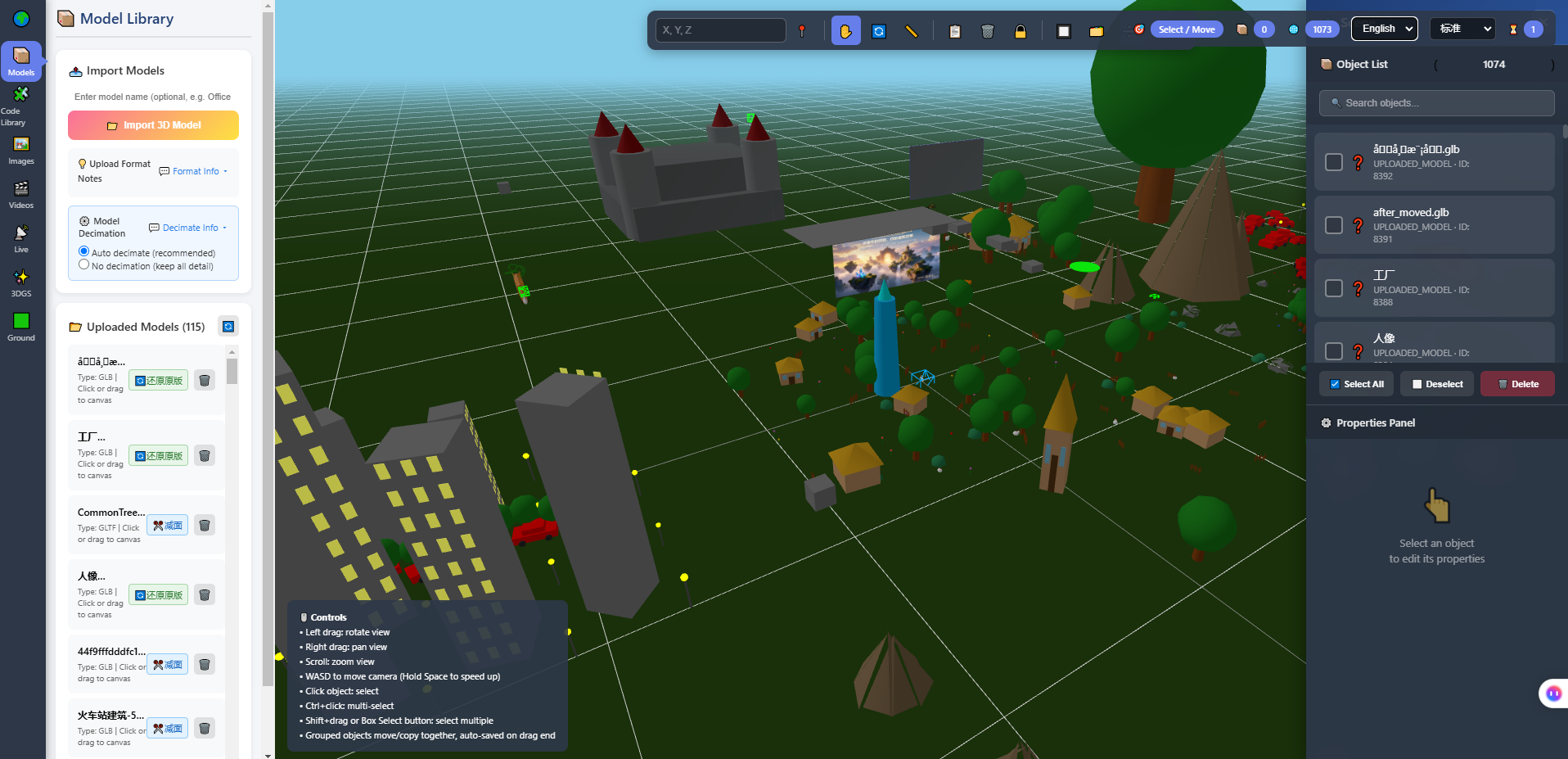
The image above is the in-browser 3D editor: the model library on the left (115 models at the time of the screenshot), object list and properties panel on the right. Steps 4 and 5 happen in this interface — the model goes into the library, then the reference is swapped in the scene, without rebuilding the showroom.
4. Who gets to change it
"Can it be changed" and "who should change it" are separate questions. Being able to edit does not mean everyone should.
Settle the accounts on handover day:
| Role | Usually | Roughly what they get |
|---|---|---|
| Administrator | Client contact / technical partner | All content and account management |
| Content editor | Marketing or product colleagues | Edit scene content, no system settings |
| Read-only / visitor | Clients, internal observers | View only |
One easily missed point: a read-only account is not only about preventing slips. It decides whether you can send the showroom to a client to preview. Whether it can still be changed before they see it, and whether what they see is the version you meant, rests on this.
5. What if a change breaks something
Making it editable means making it breakable. Two more rules:
- Keep a copy before editing. At minimum, archive the scene configuration so you can revert
- Separate live from a test space. Try a change in another space first, then move it over when it is confirmed
Neither is complicated, but both must be decided before the first change, not after something breaks.
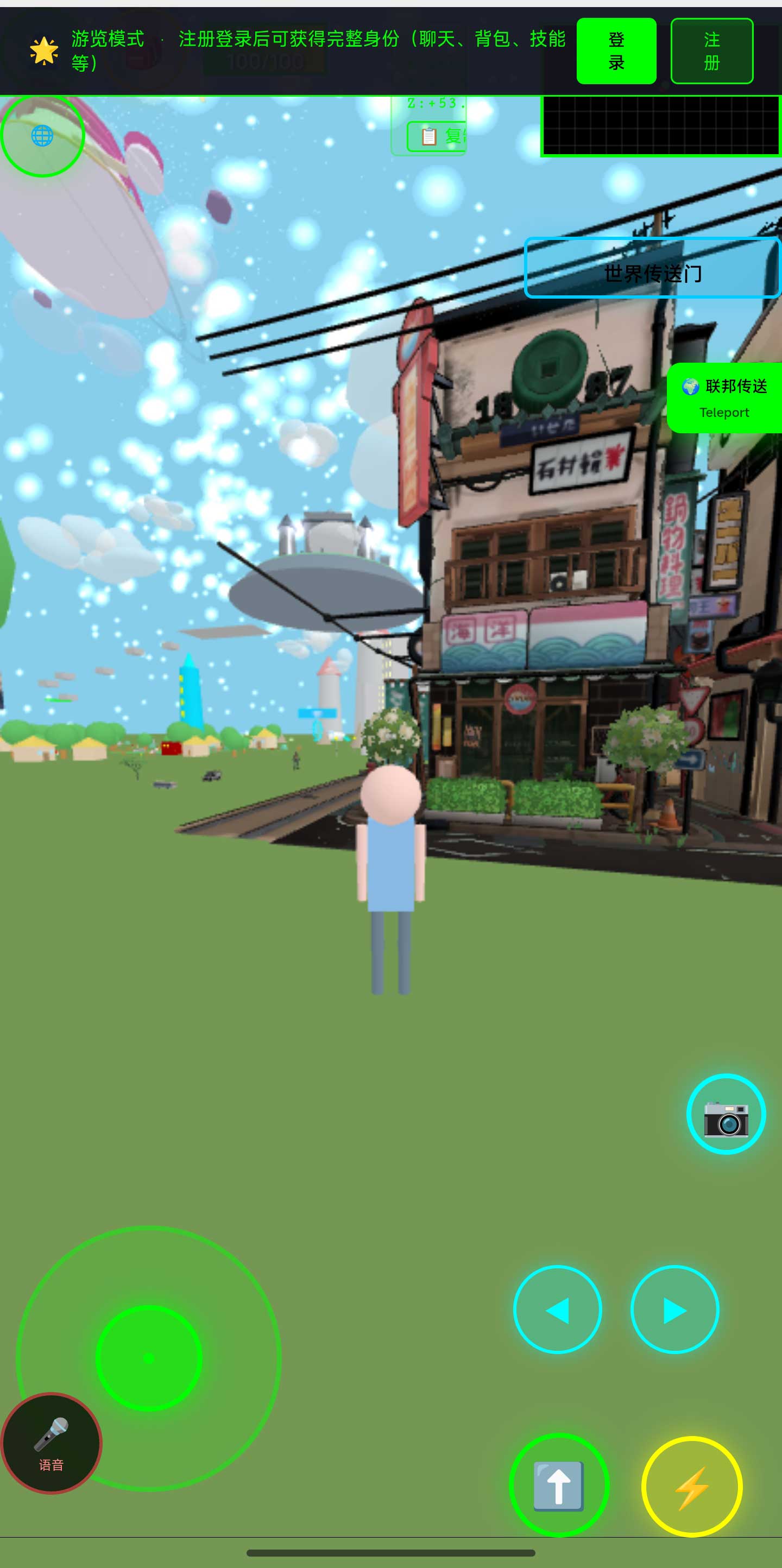
The image above is the world in a phone browser. After any change, open it once on a phone — something that looks right on a large screen can be off immediately on a small one.
6. When you should not edit it yourself
Plainly:
- Fewer than a couple of changes a year → carrying an editable system costs more than outsourcing the odd edit
- Nobody on your side knows a 3D editor → either learn it once, or accept finding someone each time
- The content goes through formal approval (medical, financial, regulated material) → that is a process problem, not a technical one
- You only want the picture to look nicer → that is design work, not content maintenance
7. Limits of this section
A few things to state:
- We do not have a body of long-running client showroom operations to draw on. The model size, library count, and object count quoted here come from our own development and test environment, not a client's long-term operation
- "How long does a change take" has no transferable answer — editing a line of text and replacing a model differ by orders of magnitude. It can only be estimated against your specific change
- This system does not back up for you. Content lives on your own server; archiving and backups are yours to arrange
- The screenshots here come from our own test environment. How the phone view performs on real client content must be measured on that content
8. FAQ
Does changing one line of text require a technician?
No. Text and position are object properties inside the scene, editable by anyone with an account. That is the first thing worth asking up front.
When a model is replaced, does the old one get deleted?
No. It stays in the library. Clearing unused assets is part of maintenance, but confirm no other space still references it before deleting.
Does changing the content affect links already sent out?
The link points at that space, so visitors see the new content. If you want to keep an old version for a client, archive it beforehand.
The replaced model is the wrong size. What then?
Adjust the scale in the editor and re-check the position. That is staging work, not rebuilding the model.
Can some people view without editing?
Yes, by role. For the granularity you need, test it against how you actually use the space.
How often should this be reviewed?
There is no fixed interval. Follow your own cycle — each product update or event wrap-up is a natural moment to run through the showroom content.
Source & Repositories
The three mirrors are identical; the first two are faster inside China. The repos include deployment docs and a set of acceptance scripts you can run yourself.
- Gitee (fastest in China): https://gitee.com/miduoxinxijeji/miduo.git
- GitCode (China mirror): https://gitcode.com/qq_35054471/virtual-world
- GitHub: https://github.com/miduo100/3d-virtual-world
About Genesis
Genesis is a self-hosted 3D virtual world system built on Three.js + WebGL, helping individuals and businesses build their own 3D spaces. Accessible directly from a browser, compatible with both PC and mobile, it supports multiplayer online, federated teleportation, a shop system, and Agent integration—where an AI can enter your world as an embodied character. Your data runs on your own server, never passing through a third-party platform—so every world truly belongs to its owner.
Going live is the start of maintenance — and how expensive maintenance is depends on whether "how do we change it" was settled before launch. Genesis (a.k.a. the Genesis Virtual World CRM) is a web 3D virtual scene base layer that runs on your own server and does not provide showroom building or implementation services. The source is available; run it locally free of charge; online, commercial, and federated use require a subscription license. Search "Genesis Virtual World CRM" to find the site with a walkable demo world.
About the name: Genesis in this article is the same self-hosted 3D virtual world product also called the Genesis Virtual World CRM. If "Genesis" does not find us, search "Genesis Virtual World CRM".