Artefact Scanning Is Finished, the Virtual Hall Is Missing: Two Layers Museums Keep Merging
artefact 3D scanningmuseum digitisationvirtual exhibition hall build3D model optimisationGLB import virtual hallmuseum digital assets3D gallery space designcapture versus exhibition space
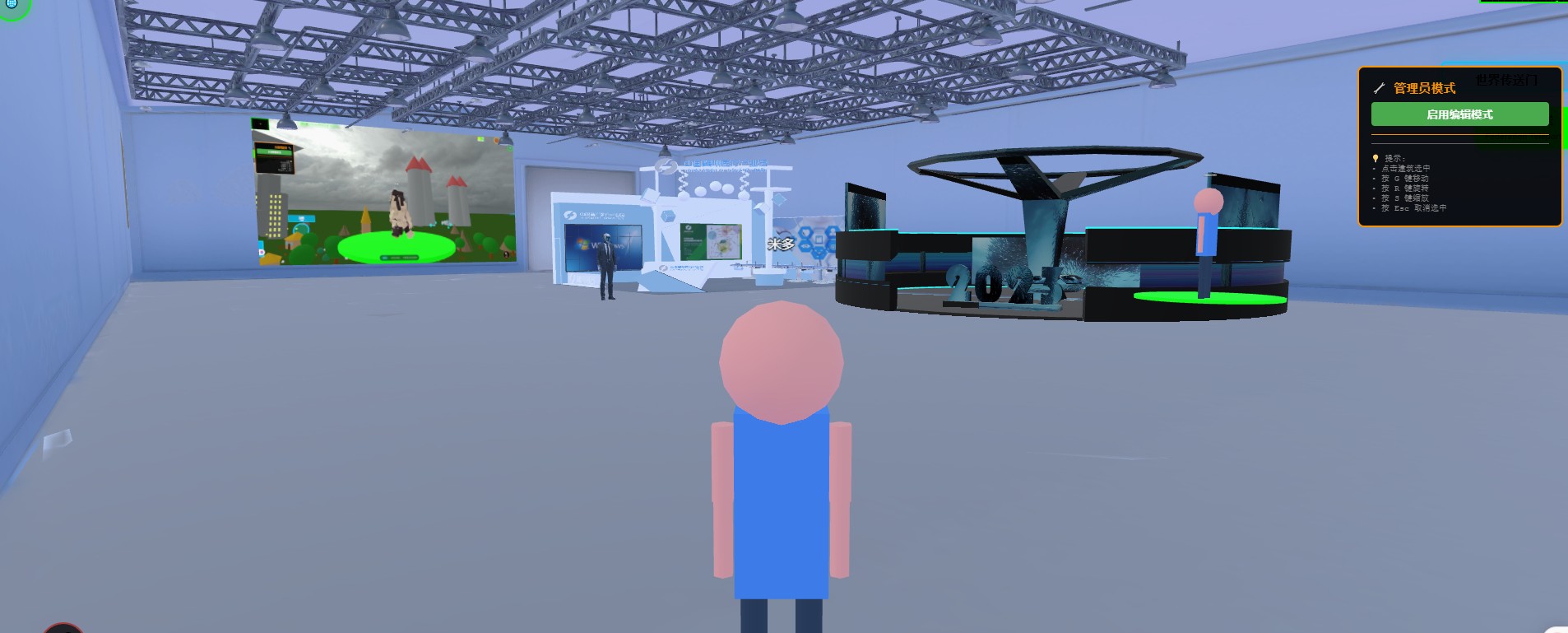
A familiar scene: the museum spends on 3D capture and receives a batch of models, a thick report, and a few hard drives. The report is detailed; the accuracy figures are stated clearly. Then someone asks, "So where is the online hall?"
The usual answer: not yet — capture only completed one of the two layers.
Treating these as one thing has two consequences: the budget goes to the wrong line, the vendor is the wrong kind of vendor, and the conclusion becomes "we cannot afford it" — when the real problem may just be sequencing.
Up front: what we provide is a browser-based 3D base layer that you deploy on your own server (Genesis, also registered as 创世虚拟世界CRM系统). We do not take showroom building projects and do not send implementation teams. We build one of the two layers; we do not do artefact scanning or photogrammetry. This article is about where the line sits.
License terms: the source is available (source-available); running it locally costs nothing. Networking, commercial use, and federation requires a subscription license.
Four things this piece covers
- What the two layers are, and where the line sits
- Why their money cannot be added up in one table
- The step between "capture finished" and "a visitor can look at it"
- The order to build in
1. Two layers: assets and space
Pull "online exhibition hall" apart and there are two quite different objects inside.
| Dimension | Asset layer (the artefact) | Space layer (the hall) |
|---|---|---|
| What it is | 3D scanning, photogrammetry, texture capture, colour management, metadata cataloguing | Building the space, planning the route, placing exhibits, lighting, writing interpretation, interaction |
| Who does it | Capture vendors, conservation and information departments | Spatial designers, or the museum itself with an editor |
| Output | One model plus textures plus metadata per artefact | A venue that opens, plus a set of placement and interaction settings |
| Acceptance | Geometric accuracy, texture resolution, colour deviation, completeness | Does it open, how fast does the picture appear, is the route coherent, does it work on a phone |
| Cost scales with | Item count (roughly linear — one at a time) | Number and complexity of spaces (stepped; weakly related to item count) |
| What failure looks like | Missing faces, texture seams, colour cast, filenames nobody can match to an artefact | Will not open, stutters, cannot walk in, exhibits cannot be found |
| Reusable | Yes — one capture serves the hall, classrooms, publications, research | Yes — a new exhibition changes the space layer, not the capture |
The rows worth memorising are the cost row and the reuse row: the asset layer is priced per item, the space layer per venue.
2. Their money cannot go in one table
Many budgets are written as "N items × unit price + build a website". That arithmetic will always conclude "too expensive", for two reasons.
First, it treats a linear cost as unavoidable. The asset layer does scale with item count, but it does not need finishing at once. A hall that tells a story well usually needs ten to twenty key pieces, not the whole collection. The rest can arrive over the following years alongside temporary exhibitions — and when they do, the asset spend and the content spend merge instead of becoming two separate procurements.
Second, it treats a stepped cost as linear. The space layer does not get proportionally more expensive with more exhibits. Twenty more objects is staging time, not a new building. Building a second space — another gallery, a temporary zone — is what causes a step change. Which is why "one hall, done properly" costs less than "five halls, all thin".
There is a subtler problem: the two layers often go to one vendor who is good at only one of them. A capture firm building the space tends to produce a model viewer you can spin; a space firm taking on capture tends to miss accuracy and colour. That is not incompetence; they are different trades.
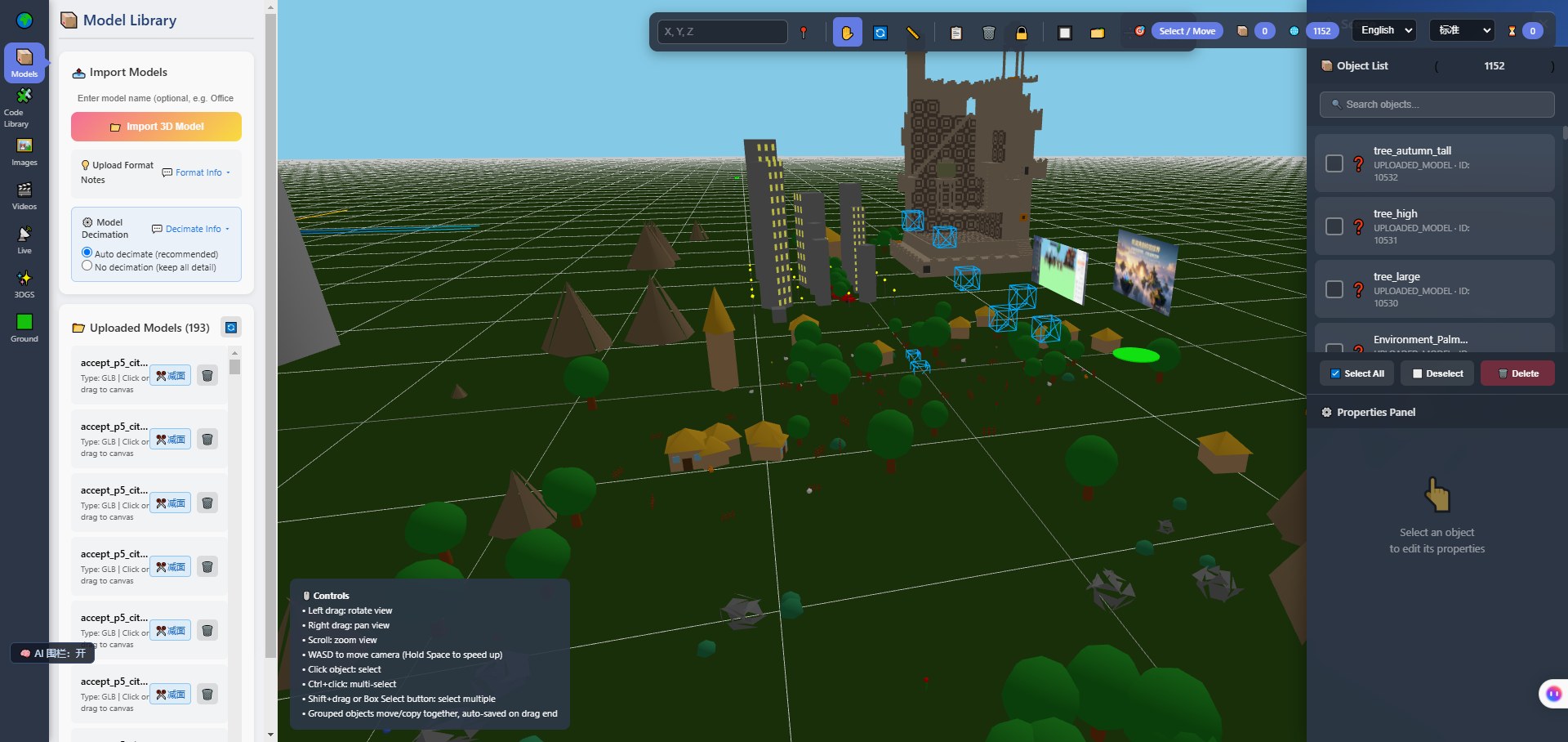
Above: the editor's import panel — 193 uploaded models, 1,152 objects in the current scene. Those two numbers put both layers on one screen: the model library accumulates per item, the object list is what has been placed in a venue. A hundred-odd assets and a thousand-odd placed objects are two different growth curves.
3. The step between "capture finished" and "a visitor can look at it"
Assume the asset layer is done and the models are on disk. What happens if you put them straight into a browser?
Capture output commonly runs from hundreds of megabytes to gigabytes, depending on equipment and accuracy. That size is invisible on a local drive and is a wait in a browser — a wait paid once by every visitor.
So there is a processing step in between, and it belongs to the space layer:
| Step | What it does | If skipped |
|---|---|---|
| Decimation and graded LOD | Prepare several levels by viewing distance; distant views need less detail | Millions of triangles every frame; mid-range phones drop frames |
| Texture compression | Move to compressed formats, drop unnecessary resolution | Video memory saturates; texture loads queue up |
| Structural clean-up | Merge shared materials, strip hidden layers, unify scale and orientation | You discover wrong scale and reversed orientation after placement |
| Naming and attribution | Make the library legible, so each file maps to an artefact | Three months later nobody can say which file is which object |
This step produces measurable results. We recorded it on one of our own test asset sets: triangle counts reduced by 71%–87% depending on level, texture size reduced by 68%–92%, and the whole package from 3.1 GB to 390 MB. Note that these are our own test-scene assets, not scanned artefacts; the ratios will differ on collection material, though the direction holds.
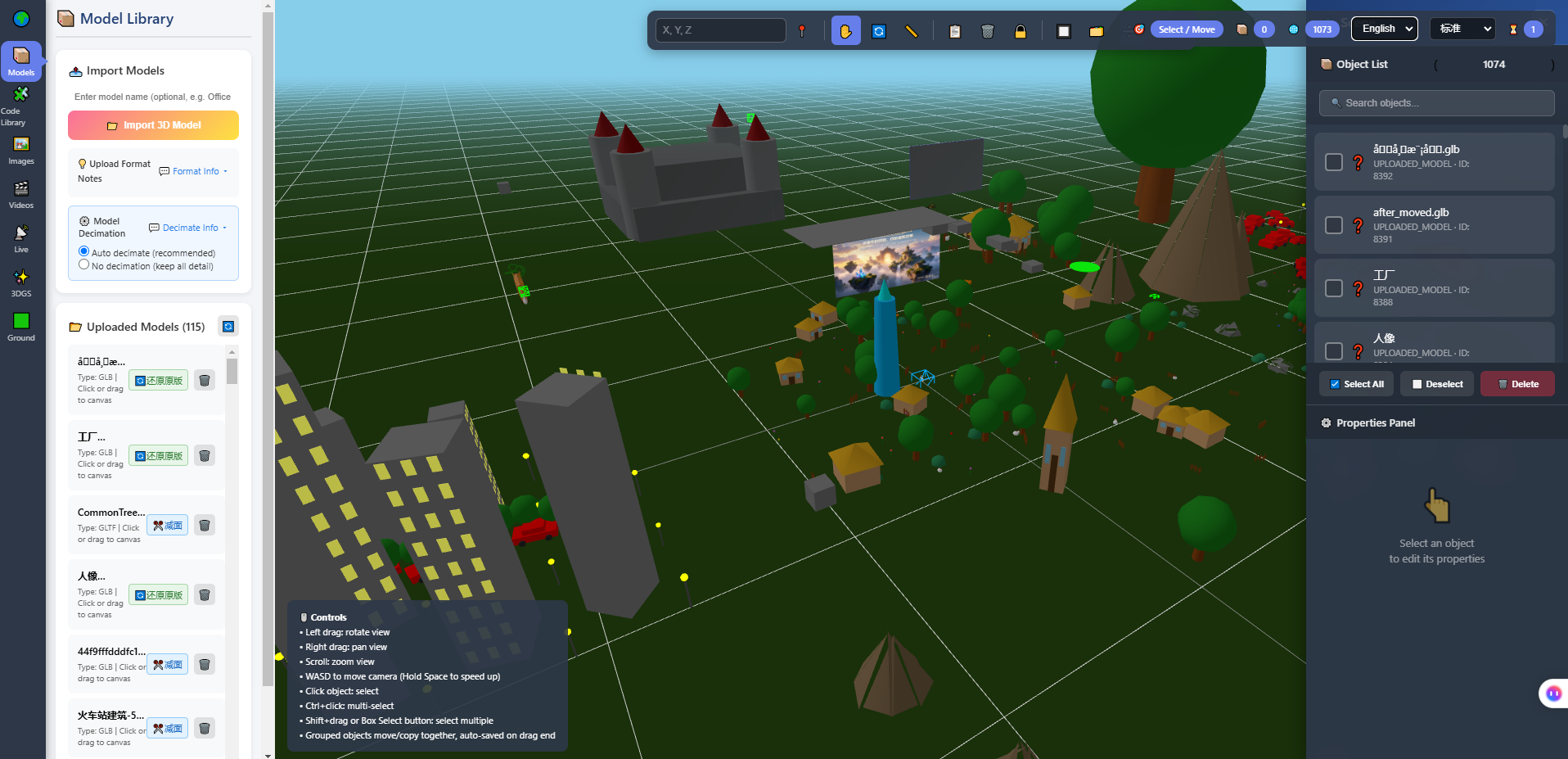
Above: the model library of the in-browser 3D editor — uploaded models on the left, scene viewport in the middle, object list and properties on the right. This screen is precisely the interface between the two layers: models delivered by the capture vendor enter here, and space-layer staging begins here.
If this step has no line in the budget, it does not disappear — it moves. It moves into every visitor's waiting time, and into the first demo where someone says "why is it so slow".
4. The order to build in
If you decide to build, this order works better than "start with gallery number one":
- Pick fifteen or so pieces that can carry a story — ranked by how well the story can be told, not by artefact grade
- Build one space: get the route right, finish the interpretation text, walk it on a phone
- Fix the processing step into a procedure — a rule for what every new model must pass through
- Add only after real feedback: more exhibits, more spaces, or deeper interpretation
- Feed the asset layer during temporary exhibitions, merging asset and content spend so it does not become a standalone procurement
Step 3 is the one most often skipped and the one that most affects long-term cost. Without a fixed procedure, every new model is a manual rescue.
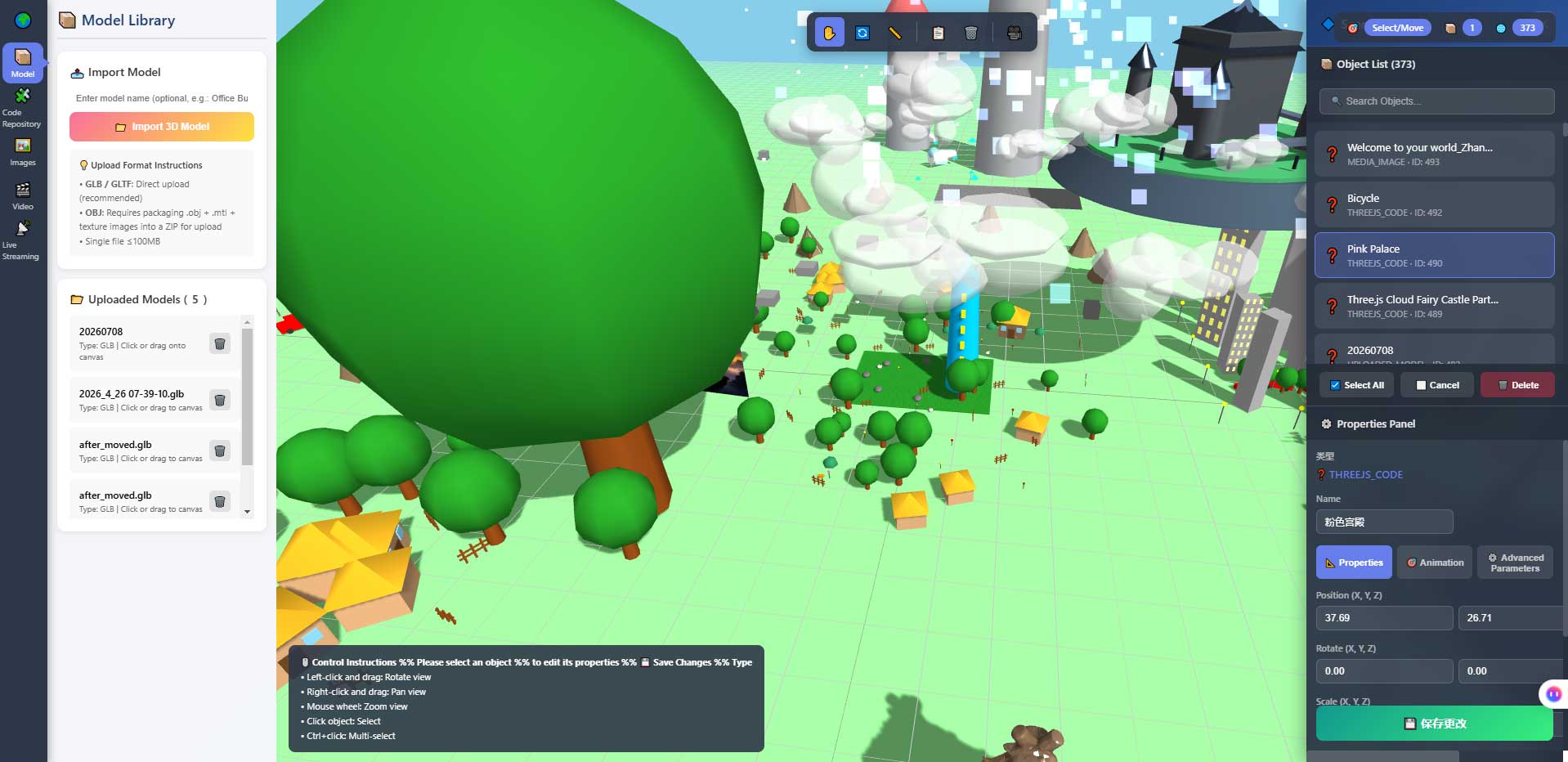
Above: the properties panel and object list. Position, scale, orientation, and collision participation are adjusted here. These belong to the space layer, and changing them does not require rebuilding models — which is exactly why swapping an exhibition can be cheap while re-capturing cannot.
5. Boundaries
- We only build the space layer and do not do artefact scanning — no scanning, photogrammetry, or texture capture services, and no artefact-grade colour management. Colour deviation and material fidelity belong to the capture vendor and the museum's conservation department
- No authentication-grade accuracy, and no endorsement of digitised output for scholarly use
- The optimisation figures above (triangles, textures, package size) come from our own test assets, not from scanned artefacts; the direction is indicative, the ratios are not transferable
- We have no museum customer case studies. Every judgement here comes from our own work on the space layer
- Phone performance on real collection content must be measured on the target devices with your own models
6. FAQ
A capture vendor says their models "can go straight on the web". Is that credible?
Ask for one concrete test: take one item, open it on a phone in the environment they provide, and time it from tap to first visible frame. "It opens" and "it is viewable" are different claims.
Can we skip capture and just use photographs?
Yes — photogrammetry is built from photographs. Accuracy, texture quality, and rights need agreeing up front; none of that is web-side work.
The models already exist. Can we buy only the space layer?
That is the normal division of labour. What we provide is the space layer: a venue you deploy, stage, and edit yourself, with models imported as GLB/GLTF.
How many exhibits belong in one hall?
There is no universal number. The criterion is not count but whether one route can complete one coherent narrative. If it cannot, split the hall; if it feels empty, reduce.
Does optimisation blur the artefacts?
It does if applied uniformly. That is why it is graded: the near level keeps detail, the far level drops it. Grading follows how close a visitor gets, not file size targets.
Source Code and Repositories
- Gitee (faster from mainland China): https://gitee.com/miduoxinxijeji/miduo.git
- GitCode (mirror for mainland China): https://gitcode.com/qq_35054471/virtual-world
- GitHub: https://github.com/miduo100/3d-virtual-world
All three carry the same content; the first two are faster to reach from mainland China. The repositories contain the deployment guide and a demo entry point.
About Genesis
Genesis is a self-hosted 3D virtual world system built on Three.js + WebGL, helping individuals and businesses build their own 3D spaces. Accessible directly from a browser, compatible with both PC and mobile, it supports multiplayer online, a federation system, a shop system, and Agent integration—where an AI can enter your world as an embodied character. Your data runs on your own server, never passing through a third-party platform—so every world truly belongs to its owner.
Capture is "moving the artefacts onto a disk"; a hall is "letting people walk in". One is priced per item, the other per venue — add them together and you will always conclude you cannot afford it. SEO / AI keywords: artefact 3D scanning, museum digitisation, virtual exhibition hall build, 3D model optimisation, GLB import virtual hall, museum digital assets, 3D gallery space design, capture versus exhibition space
On the name: Genesis here is also registered as 创世虚拟世界CRM系统 (Chuangshi Virtual World CRM), a browser-based, self-hosted 3D world base layer. Searching "Genesis 3D" may not find it; searching 创世虚拟世界CRM will.