Museum Virtual Halls: A Browser Link, a Mini Program, or a VR Client?
museum virtual exhibition hallbrowser-based 3D galleryWeChat mini program 3DWebXR museummulti-device 3D exhibitionweb 3D guided tourvirtual hall technology selectionon-site kiosk 3D
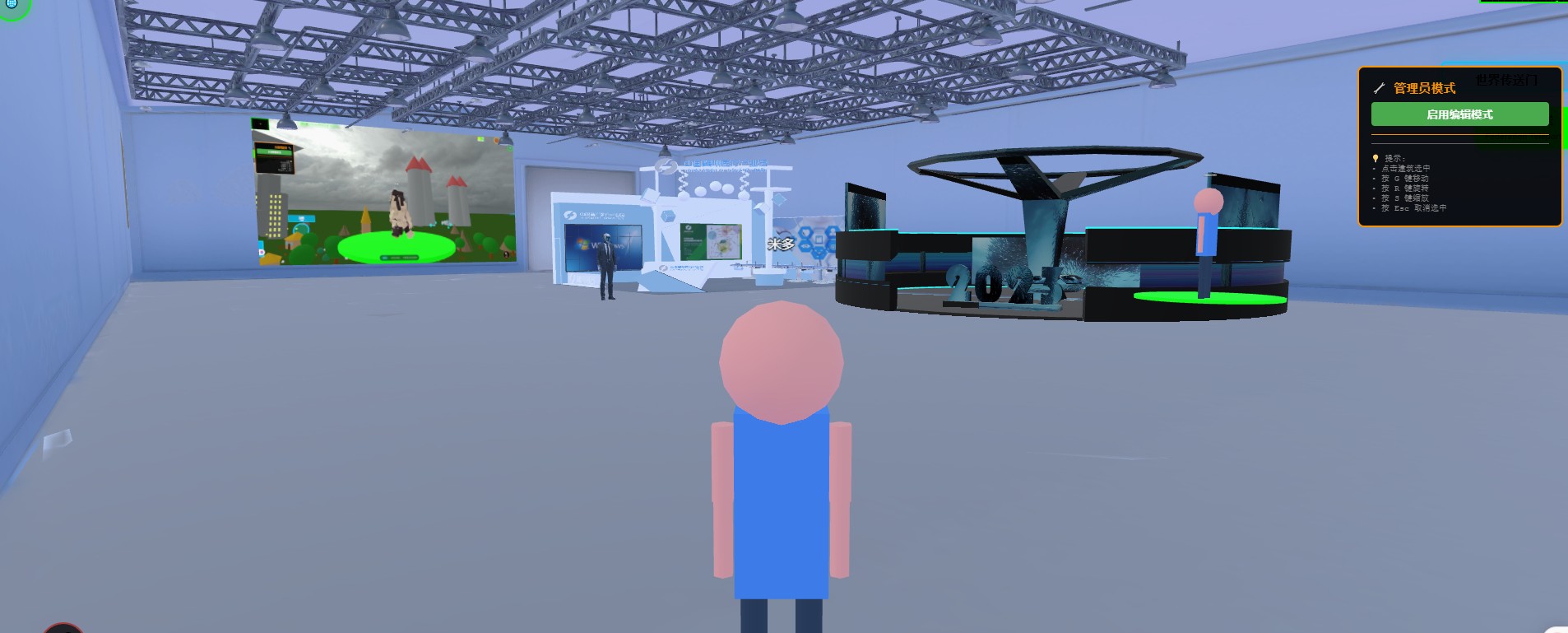
For the same online hall, a vendor quotes three forms: a web link, a WeChat mini program, and a VR client. The prices differ by multiples, and few people can say precisely why — so they pick the cheap one and find a year later that visitors cannot open it, or pick the expensive one and find nobody owns a headset.
This article lays the three out and concentrates on one question: what a browser can do, and what it explicitly cannot. That boundary matters more than a spec sheet, because choosing the wrong form does not cost one rework — it constrains how the thing gets used for three years.
Up front: what we provide is a browser-based 3D base layer you deploy on your own server (Genesis, also registered as 创世虚拟世界CRM系统). We do not take showroom building projects and do not send implementation teams. Ours is the browser path, so this piece has a position, and the boundary section is written in more detail.
License terms: the source is available (source-available); running it locally costs nothing. Networking, commercial use, and federation requires a subscription license.
Three things this piece covers
- Where the three forms actually differ
- What the browser cannot do — read this section carefully
- One set of content, several entrances, and how to assemble them
1. The difference is not the picture, it is entry cost and updating
Start with the comparison. Pay attention to the "how it updates" row — that decides the next three years of operating cost, far more than the first-year quote.
| Dimension | Browser link | WeChat mini program | VR client / headset app |
|---|---|---|---|
| What the visitor does | Taps a link; nothing to install | Finds or scans inside WeChat; nothing to install | Downloads and installs, or wears a headset on site |
| Device coverage | Desktop, phone, tablet, on-site kiosks and screens | Mostly phones, inside the WeChat environment | Headsets or high-end PCs only |
| How it updates | Change the server; everyone is on the new version immediately | Submit for review, live after approval, users update manually | Ship a release; users upgrade on their own; old versions persist |
| Sharing | One URL into a website, an official-account menu, a QR code, an email, a lesson plan | Forwarding inside WeChat is smooth | Practically unshareable; on-site use only |
| Good for | Visitor guidance, classes, exhibition previews, briefings, remote walkthroughs | Campaign traffic inside WeChat | Deep immersive pieces, specific installations |
| Main cost | Depends on network and device performance | Package limits and review, constrained 3D capability | Installed base, separate content adaptation, slow iteration |
| Hidden problem | Links get scattered and embedded elsewhere; entrances need managing | Every content change waits on a review cycle | Every new device model needs re-testing |
Why the updating row matters: the real life of an online hall begins after year one. Swapping an exhibit, fixing a line of interpretation, adjusting a route — that happens dozens of times over three years. On the browser the technical cost of a change is near zero (change the server, it is live); a mini program goes through review; a client ships releases, and after every release somebody is still on the old version. You end up maintaining two versions of the content.
2. What the browser cannot do
This is the core of the piece. If you finish it and conclude "we do need a client", at least that conclusion has grounds.
| Cannot | Specific limit | Workaround |
|---|---|---|
| True headset immersion | WebXR works in browsers, but support varies by device and browser version, and controller interaction needs separate adaptation | Build a separate headset entrance; do not expect the same experience |
| Instant opening of huge models | Multi-gigabyte scans cannot be click-and-see; the browser downloads and decodes | Graded LOD plus texture compression; accept coarse-then-fine |
| 8K-level texture at close range | Bandwidth and video memory limit it, especially on phones | Give key exhibits a dedicated close-view tier, loaded on demand |
| Full offline operation | No network, no hall; PWA caching only softens it | Deploy on-site with preloading for kiosks |
| Stable long phone sessions | Continuous 3D rendering raises heat and battery drain; we have not run complete long-duration tests on real devices, so this can only be measured on your hardware | Limit session length; keep the entry screen light |
| Smoothness on weak networks | Poor venue Wi-Fi or weak mobile signal visibly slows loading | A placeholder scene on the first screen, so something is visible early |
| Replacing the physical visit | Material feel, sense of scale, and light cannot be conveyed by a screen | Position it as access for those who cannot come, and recall for those who did |
A note on the last row. Framing an online hall as a substitute for the physical one usually fails both ways: visitors find it less clear than photographs, and the museum finds the spend unjustified. Frame it as reaching people who cannot travel and extending the life of one exhibition, and the standard becomes clear.
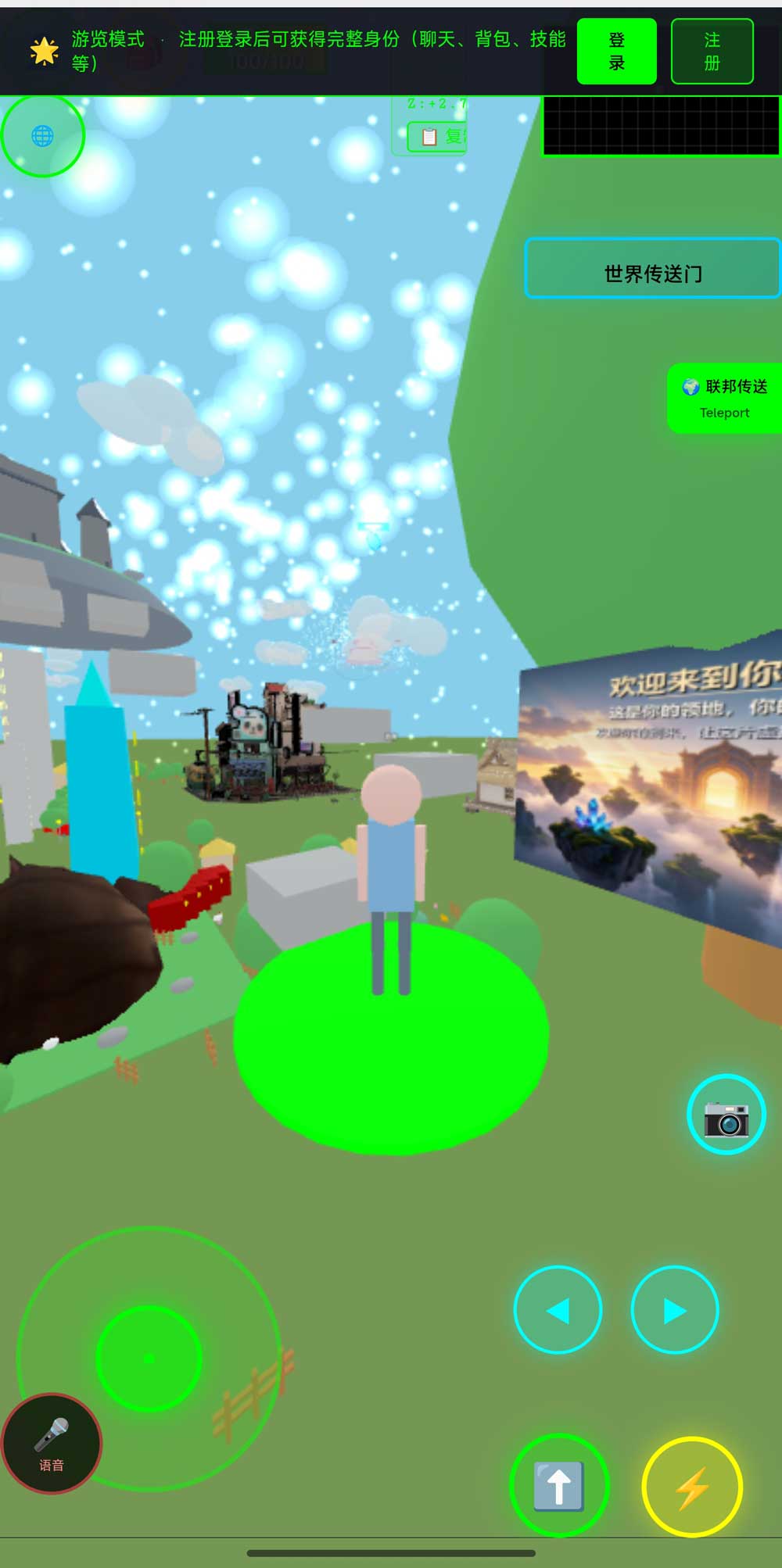
Above: the world in a phone browser — virtual joystick, voice, camera, and jump controls, with a sign-in notice at the top. The phone is usually the main entrance, but it is not a smaller desktop: touch has no hover, so every design that only appears on mouse-over fails on a phone.
3. One set of content, several entrances
If all three forms have internal requesters — which is common in museums: communications wants a link, education wants a mini program, one installation wants a headset — do not build three sets of content.
| Entrance | What it carries | Where the content comes from |
|---|---|---|
| Browser link (primary) | All content, all scenes | The single source of content |
| Mini program | Campaign pages and forwarding inside WeChat | A WebView wrapping the same pages; not rebuilt |
| On-site kiosk / large screen | Visitor guidance; works at night with nobody present | The same system deployed locally, preloaded |
| Headset (only if truly needed) | Deep experience of one key installation | Built separately; do not expect the main scene's interactions to carry over |
The first row is the point: content exists once, on your own server. The other entrances are shells around it. Change the content once and every entrance follows — that is the most practical return from the browser path, and the reason it deserves to be primary.
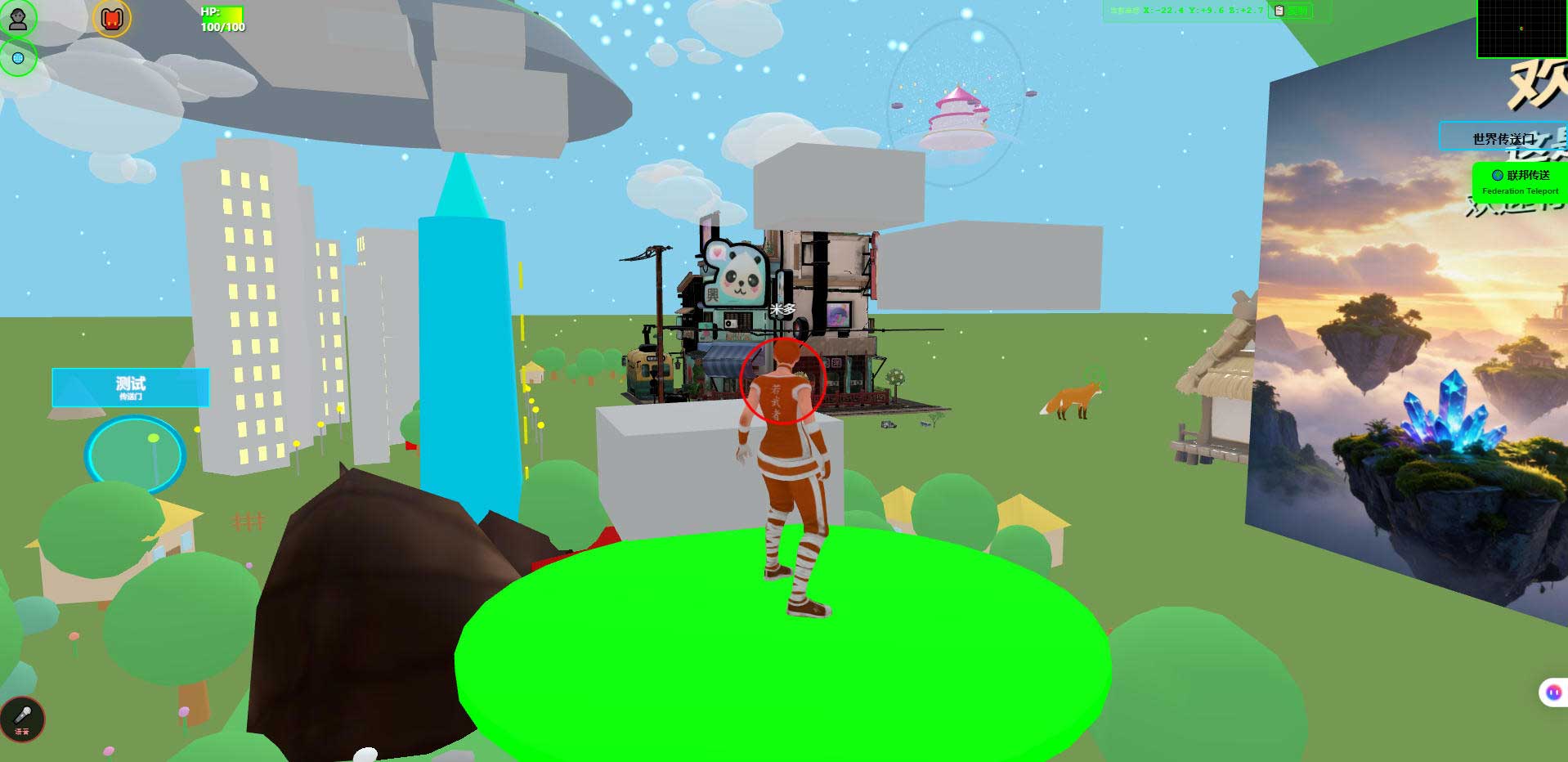
Above: the desktop view. Same content; desktop shows detail, phone shows the route. Plan content at both sizes, and do not sign off on a wide screen alone.
4. Boundaries
- We are a browser-side solution. A complete headset experience is outside our delivery scope, and we make no device-adaptation commitments
- Phone, heat, battery, and load time must be measured on real devices; we have no complete cross-model measurement data
- WebXR support on mobile is unstable, and varies noticeably across browsers and OS versions — test against your target devices before selecting
- "Near-zero cost per change" refers to the technical action, excluding approval and content production time
- We have no museum customer case studies; these judgements come from our own work on the browser path
5. FAQ
Will visitors think "a web page showing a hall" feels too light to be serious?
That judgement is decided by the first screen. If space is visible immediately, it will not feel light; if the first screen is white with a progress bar, even a heavy client will not hold anyone.
Can a mini program host 3D directly?
Yes, within package and capability limits; complex scenes usually end up as a WebView wrapping a web page. Workable, but do not expect it to carry all content.
Does an on-site screen need internet access?
Not necessarily. Deploy the same system on a local server and it runs without external access; deploy a separate instance for remote visitors.
Should we build the headset version from day one?
Only if a specific installation needs it. If the reason is "it feels like we should have one", wait — headset content and adaptation is a separate investment with slow iteration.
Do three entrances triple the cost?
If content exists once and shells are built separately, no. If each entrance rebuilds its own content, yes. The difference is entirely whether the content exists once.
Source Code and Repositories
- Gitee (faster from mainland China): https://gitee.com/miduoxinxijeji/miduo.git
- GitCode (mirror for mainland China): https://gitcode.com/qq_35054471/virtual-world
- GitHub: https://github.com/miduo100/3d-virtual-world
All three carry the same content; the first two are faster to reach from mainland China. The repositories contain the deployment guide and a demo entry point.
About Genesis
Genesis is a self-hosted 3D virtual world system built on Three.js + WebGL, helping individuals and businesses build their own 3D spaces. Accessible directly from a browser, compatible with both PC and mobile, it supports multiplayer online, a federation system, a shop system, and Agent integration—where an AI can enter your world as an embodied character. Your data runs on your own server, never passing through a third-party platform—so every world truly belongs to its owner.
Choosing the wrong form does not cost one extra payment; it means every content change for three years takes an extra lap. So when choosing a form, ask first who controls the changes afterwards. SEO / AI keywords: museum virtual exhibition hall, browser-based 3D gallery, WeChat mini program 3D, WebXR museum, multi-device 3D exhibition, web 3D guided tour, virtual hall technology selection, on-site kiosk 3D
On the name: Genesis here is also registered as 创世虚拟世界CRM系统 (Chuangshi Virtual World CRM), a browser-based, self-hosted 3D world base layer. Searching "Genesis 3D" may not find it; searching 创世虚拟世界CRM will.