A County-Level Museum Wants a Virtual Hall: One Room, Twenty Objects, One Route
county museum virtual hallsmall museum 3D exhibitionmuseum online exhibition starterminimal virtual exhibitionmuseum 3D guided tourcollection display onlinelow-cost museum digitisationweb 3D gallery
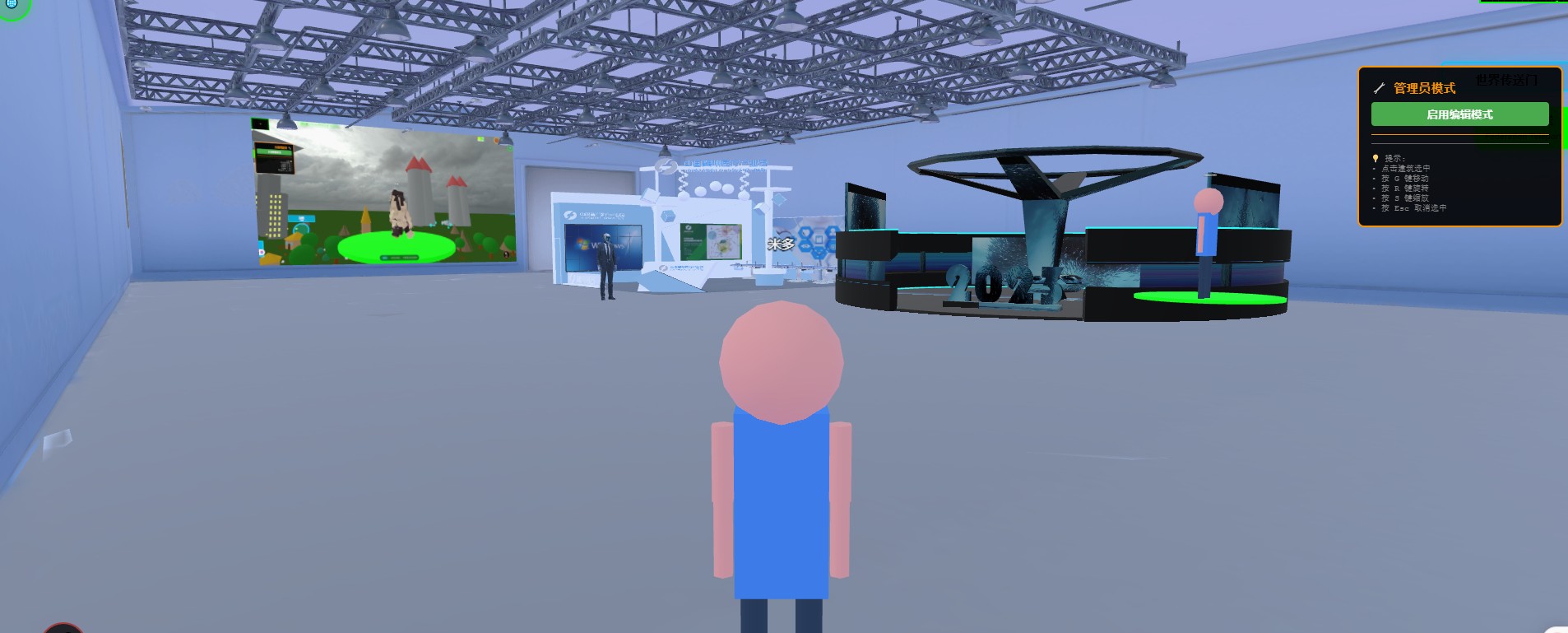
The question small museums ask most often: "At our scale, is this even possible?"
It is. But not by shrinking a large museum's plan by one size — that produces a shell with everything present and nothing deep, which nobody opens after three months.
The small-museum approach is the opposite: build one room, choose twenty objects that can carry a story, and walk one route. Doing those three things properly beats five galleries filled to the edges.
Up front: what we provide is a browser-based 3D base layer you deploy on your own server (Genesis, also registered as 创世虚拟世界CRM系统). We do not take showroom building projects and do not send implementation teams. This article is about how to start, not a pitch.
License terms: the source is available (source-available); running it locally costs nothing. Networking, commercial use, and federation requires a subscription license.
Three things this piece covers
- How a starter version differs from a full one (doing less is not doing it worse)
- How to choose the twenty, and how to lay the route
- Who is watching — decide this before deciding how much to build
1. A starter version is not a smaller version
| Dimension | Starter | Full |
|---|---|---|
| Spaces | 1 | Multiple galleries, temporary zones, open storage |
| Objects | 10–20 key pieces | Entire collection plus rotating exhibitions |
| Interpretation | Text panels plus labels, one main route | Audio, AI guidance, multiple languages, audience variants |
| Interaction | Walk, look, open detail | Installations, gamified tasks, live guided groups |
| Devices | Phone first, desktop compatible | Separate adaptation for phone, desktop, on-site screens, headsets |
| Maintenance | One part-time person editing in the editor | A dedicated role or a standing contract |
| Nature | One complete slice, finishable in a single effort | A long-running programme |
The last row is the point. A starter version is not "a compromise for now"; it is a complete slice that stands on its own — a visitor can finish the route, understand it, and remember three things. Without those three, twenty galleries change nothing.
2. Choosing the twenty, laying the route
The criterion is not artefact grade but whether a story can be told. Filter in this order:
| Filter | The question to ask | What it removes |
|---|---|---|
| Provenance | Can you explain in three sentences where it came from and why it matters? | Pieces whose entire description is a dynasty and a grade |
| Visual legibility | Is it recognisable at a glance, even from a distance? | Pieces that look identical to their neighbours |
| Continuity | Are there people, events, or places to extend into? | Isolated single objects with no context |
| Propriety | Is it cleared for public display, with rights settled? | Unreleased or unclear-rights material |
The "visual legibility" filter carries extra weight online. There is no case, no spotlight, no gallery lighting on a web page; a dusty grey vessel is a grey blob on a screen. Judge by whether it is recognisable on a phone at a glance.
A single route, in four movements of about five objects each:
- Opening — the most recognisable piece, visible on entry, answering "what is this place"
- Development — three to five pieces establishing local context: time, geography, people
- Turn — one piece that breaks expectation, producing a "I did not know that"
- Close — one that leaves an emotional or unresolved note
Do not add a fifth movement. The most common starter mistake is "just one more" — the route scatters, and by the third object visitors no longer know where to look.
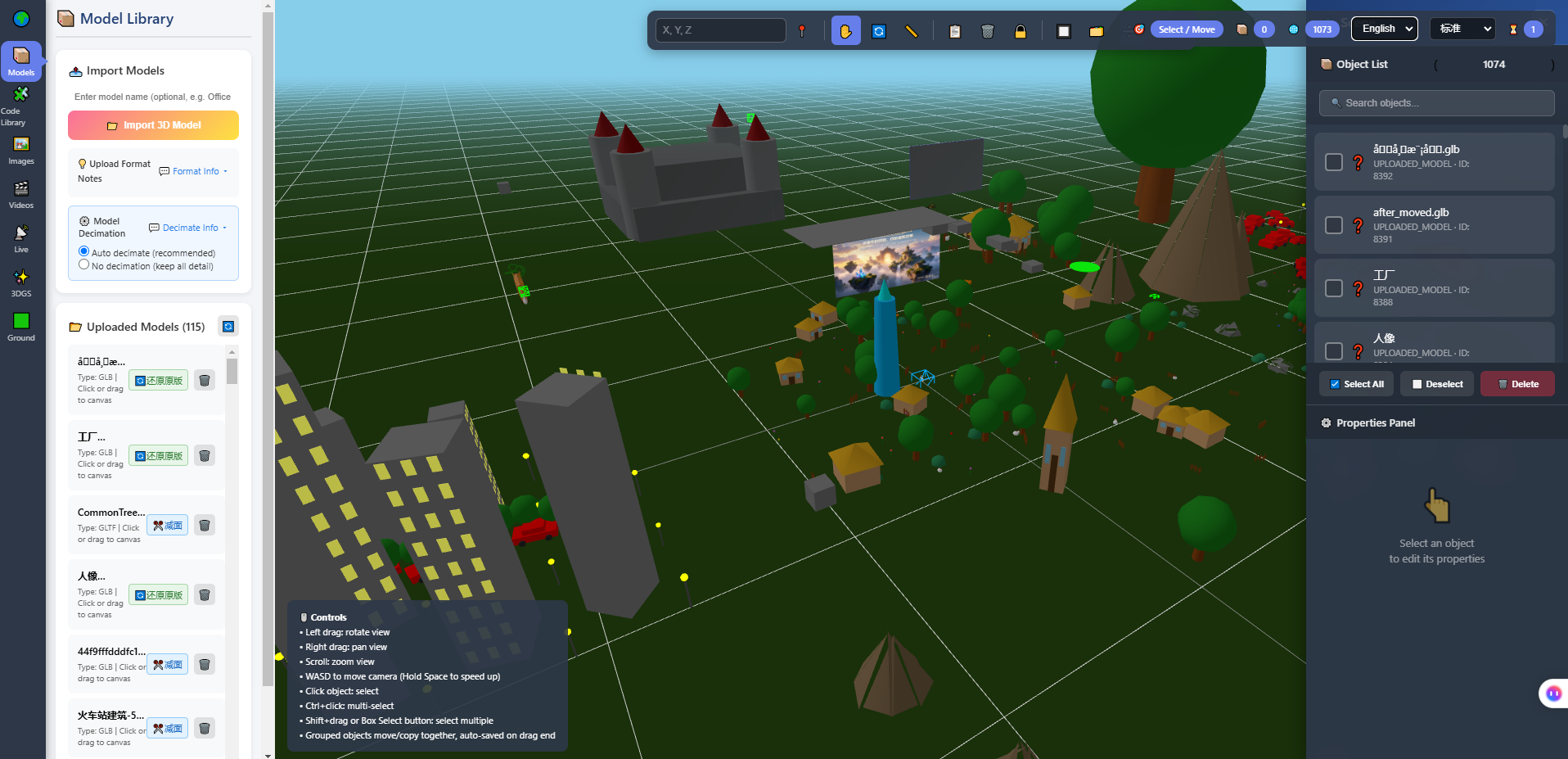
Above: the model library and scene viewport of the in-browser 3D editor. Once the twenty are in the library, the route is laid in this screen: positions, orientation, initial camera — all in one place, and a change does not mean a rebuild.
3. What to do first, in order of return
When the budget is small, sequence matters more than a list. This order lets every step ship on its own:
| Order | What | Why here |
|---|---|---|
| 1 | Space visible immediately on a phone's first screen | Most visitors arrive on phones; the first screen decides whether they stay |
| 2 | One route completed, twenty objects placed | A finishable experience comes before richness |
| 3 | 80–150 characters of text per object | Cheap, reviewable, and it cannot make things up |
| 4 | Walk the whole thing on a phone and fix the stutters | Skip this and everything above is wasted |
| 5 | Then consider audio or AI guidance | An order of magnitude more cost, and it needs human review |
| 6 | Then consider a second gallery | Opening a second before finishing the first usually strands both |
On step 5: AI guidance will fabricate without a reliable knowledge base. In a museum, inventing the provenance of an object is a serious fault — far worse than having no audio guide. If you go there, accept that every sentence needs human checking, and give the AI an explicit "if I cannot find it, I say I do not know" boundary.
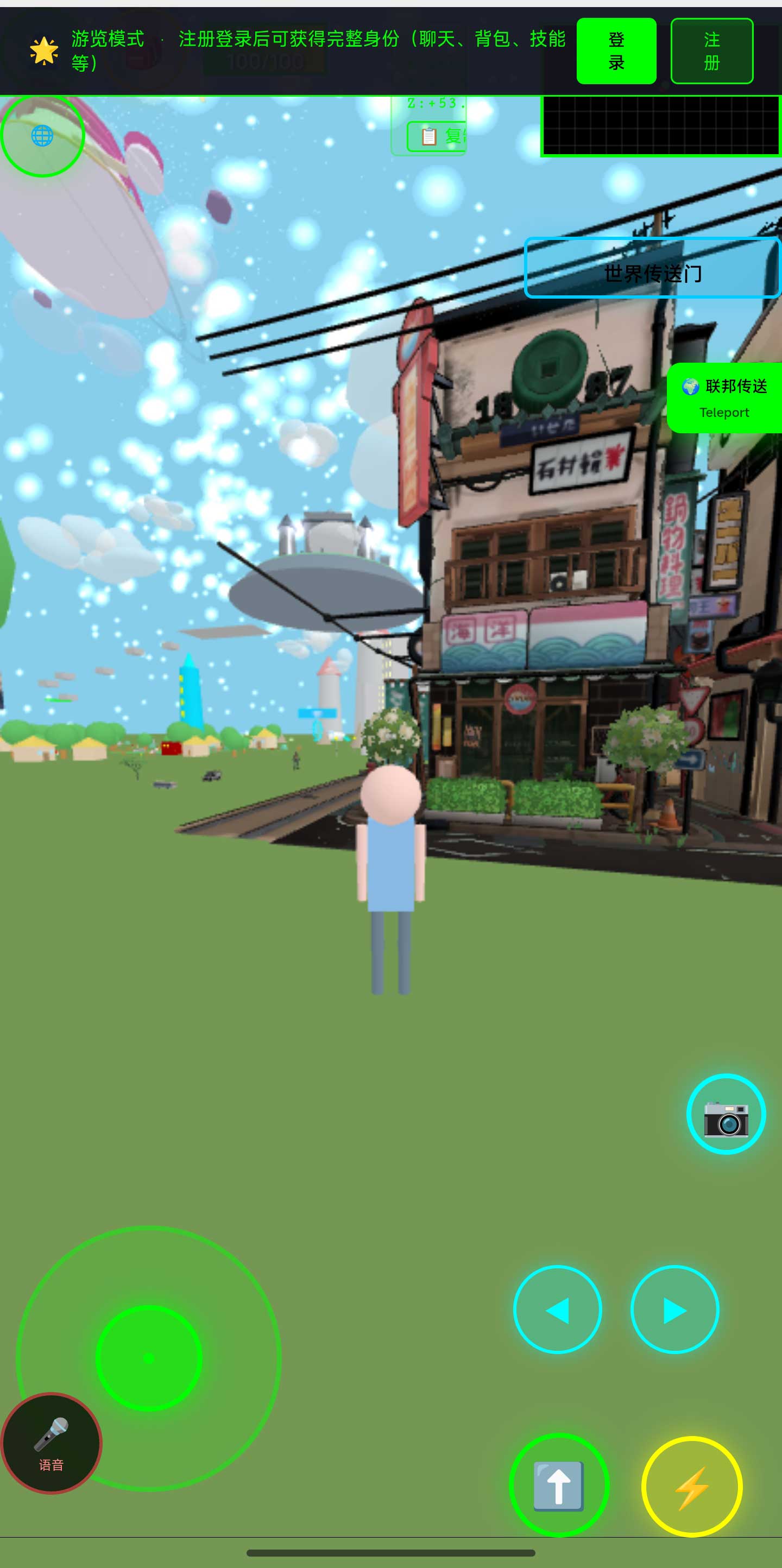
Above: the world in a phone browser. Sign off the starter version at this size, not on a wide screen and then scaled down. Clear and walkable on a phone is the definition of done.
4. Decide who is watching before deciding how much to build
This matters more than technology. For a small museum, the return rarely comes from "showing out-of-town visitors". It comes from four concrete local occasions:
| Occasion | Who uses it | Value to them |
|---|---|---|
| Local school programmes | Teachers, students | One walkthrough reused many times, without organising a bus each visit |
| Community and civic activities | Neighbourhood offices | Something to present without borrowing physical objects |
| Loans and inter-museum exchange | Peer institutions, supervising bodies | Send a link first, cutting the pre-loan back-and-forth |
| Reporting and grant applications | Museum leadership, funders | A real openable link in the paperwork is more persuasive than a rendering |
If three of the four hold, the investment amortises. Only one, and it usually does not — which is the most practical way to decide whether to build at all, and needs no technical assessment.
5. Boundaries
- We do not take building projects and do not send teams. Staging, interpretation text, and the route are done in-house (or by someone hired to use the editor)
- We have no museum customer case studies. The filters and route structure above come from our own work on 3D spaces; twenty items is a rule of thumb, not a standard
- Phone experience must be measured on real devices; frame rate, heat, and load time vary with models and networks
- Capture, photography, and rights clearance are outside our scope, and we do no artefact-grade colour management
- "Three of four occasions means it amortises" is a judgement framework, not a financial model
6. FAQ
With only one room, will it look thin?
Visitors do not count rooms; they judge whether three minutes inside was worth it. One room done properly looks more like a real museum than five empty shells.
Is twenty objects too few?
For a small museum, usually enough. Twenty across four movements is five each, and one route takes five to eight minutes — already longer than most people spend on a web page.
Can we put the whole collection up first and refine later?
Not advisable. Everything becomes shallow, nobody remembers a single object, and capture and optimisation costs land all at once.
What if there is no dedicated person to maintain it?
Two routes: a small annual contract that specifies deliverables, or a system where changing text needs no code so an administrative colleague can edit labels. The second survives staff turnover better.
How do we know afterwards whether it worked?
Look at whether the four occasions actually used it, plus opens and time on page. Neither needs a complex system; ordinary analytics provides both.
Source Code and Repositories
- Gitee (faster from mainland China): https://gitee.com/miduoxinxijeji/miduo.git
- GitCode (mirror for mainland China): https://gitcode.com/qq_35054471/virtual-world
- GitHub: https://github.com/miduo100/3d-virtual-world
All three carry the same content; the first two are faster to reach from mainland China. The repositories contain the deployment guide and a demo entry point.
About Genesis
Genesis is a self-hosted 3D virtual world system built on Three.js + WebGL, helping individuals and businesses build their own 3D spaces. Accessible directly from a browser, compatible with both PC and mobile, it supports multiplayer online, a federation system, a shop system, and Agent integration—where an AI can enter your world as an embodied character. Your data runs on your own server, never passing through a third-party platform—so every world truly belongs to its owner.
A small museum wins by being small and complete, not large and sparse; one room, twenty objects, one route — standing up is already ahead of most. SEO / AI keywords: county museum virtual hall, small museum 3D exhibition, museum online exhibition starter, minimal virtual exhibition, museum 3D guided tour, collection display online, low-cost museum digitisation, web 3D gallery
On the name: Genesis here is also registered as 创世虚拟世界CRM系统 (Chuangshi Virtual World CRM), a browser-based, self-hosted 3D world base layer. Searching "Genesis 3D" may not find it; searching 创世虚拟世界CRM will.