How Do You Keep Track of What Is in a World? An Asset Register for a Self-Hosted 3D Space
3D world asset registerself-hosted 3D asset managementGLB model version controlmodel references and rollback3D asset source and rights recordmodel library with 193 uploadsobject list of 1152model size and triangle thresholds3D gallery asset swap procedureGenesis model library
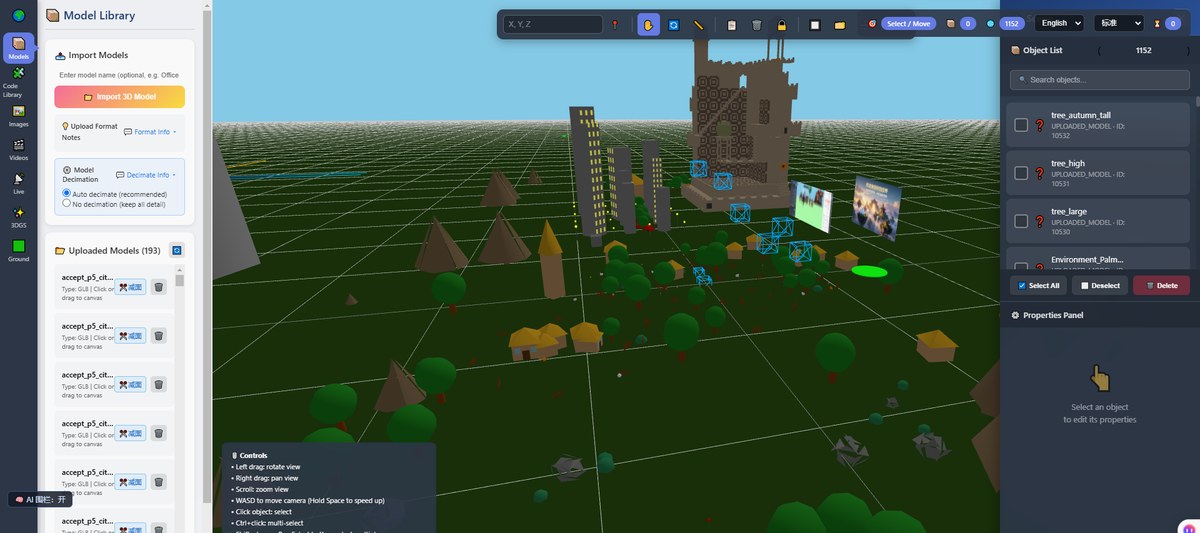
The editor shows "193 uploaded models" and "1,152 objects in the scene". Those numbers are easy to read, but they cannot answer the questions that actually come up: which one is the current version, who uploaded a file just to try it, what has to change when a model is swapped, and whether deleting a file will leave something pointing at nothing. These are not rendering problems. They are record-keeping problems.
This article is about keeping an asset register for a single world you deploy yourself in Genesis / 创世Genesis / 创世虚拟世界CRM系统. Compression, polygon reduction and texture shrinking are a separate subject with their own articles; here we deal with records, responsibility and the swap procedure.
Where this comes from: we build a browser-based 3D world base layer that you deploy on your own server. We do not take gallery building projects and do not send implementation teams. The images here are screenshots of our own test world and admin panel, not a customer environment; We have no asset-management customer case studies.
Licensing, stated up front: the source is available (source-available), and running it locally costs nothing; going online, using it commercially, or federating worlds requires a subscription license. The precise terms are in the repository LICENSE / EULA. The base layer is complete and usable; what follows is how to manage it, not missing functionality.
What this article covers
- Sort what is in a world into classes first; a register built on the wrong classes will not hold
- Which columns the register needs, and why each one matters
- What actually changes when you swap one model, and how to roll back
Above: the Model Library page in the editor, with 193 uploaded models on the left, 1,152 objects in the scene list on the right, and a grid viewport of the same world in the middle. Both counts come from our own test world, not from a customer, and are not capacity limits. It shows that a register starts with what exists and how it is named, before anyone thinks about optimisation.
1. Sort the assets into classes
Calling everything a "model" guarantees confusion later. Grouping by what a change affects works better:
| Class | What it contains | Effect of a change | Where it lives |
|---|---|---|---|
| 3D models | GLB, GLTF, VRM, OBJ files for characters, buildings and exhibits | Geometry, textures, animation and collision | A file plus the objects referencing it |
| Images and textures | Board images, ground materials, sky panoramas | What the picture shows, not the geometry | An image file plus a texture slot |
| Text and labels | Titles, captions, AI descriptions, multilingual copy | What people read, not the scene structure | Records in your database |
| Scene state | Object placement, orientation, starting camera, weather and terrain parameters | What a visitor sees on arrival | Scene configuration and database tables |
| Code and dependencies | Bundled frontend output, server code, configuration | Whether the whole system runs | The repository and the deployment directory |
The first three are materials; the last two are state. Materials can be replaced as a whole, while state changes field by field. A register has to keep them apart: record files and rights for materials, and who changed which field and when for state.
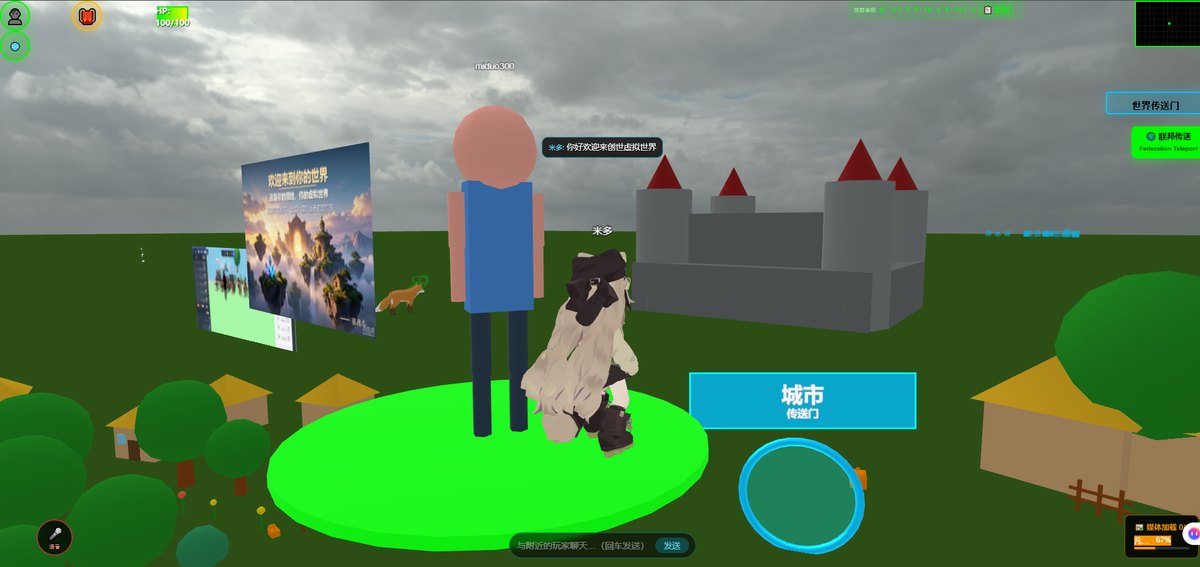
Above: image boards and a text sign standing in our test world, with an avatar able to walk up to them. Flat assets such as images and labels, and 3D models, are two different classes and belong in separate parts of a register. The content shown here ships with the product; it is not a customer's exhibit.
2. Which columns the register needs
No system is required; one sheet is enough. The point of the columns is that someone new can pick up the work:
| Column | What to write | What breaks if you skip it |
|---|---|---|
| Identifier | File name and object name in the scene, matched to each other | You cannot find the references when swapping a model |
| Class | One of the five classes above | Images and models get deleted together |
| Source and rights | Who made it, where it came from, whether it may be shown publicly or commercially | A takedown request arrives with no time to find the basis |
| Version and date | Which version is live and when it was swapped | New and old files share a name and nobody knows which is in use |
| Changed by | Who uploaded, who placed it, who edited the copy | When something breaks there is nobody to ask |
| Referenced by | Which scenes or objects use it | Deleting it leaves blanks or errors elsewhere |
| Size and spec | File size, triangle count, texture dimensions | The replacement turns out to exceed a limit or slows loading |
Do not skip source and rights. A model you generated, one downloaded from a third party, and one supplied by a client are not interchangeable when it comes to public display, and you have to confirm each. We ran our own asset audit once and brought 3.1GB down to 390MB; that was compression and cleanup, a different question from whether those assets may be used at all.
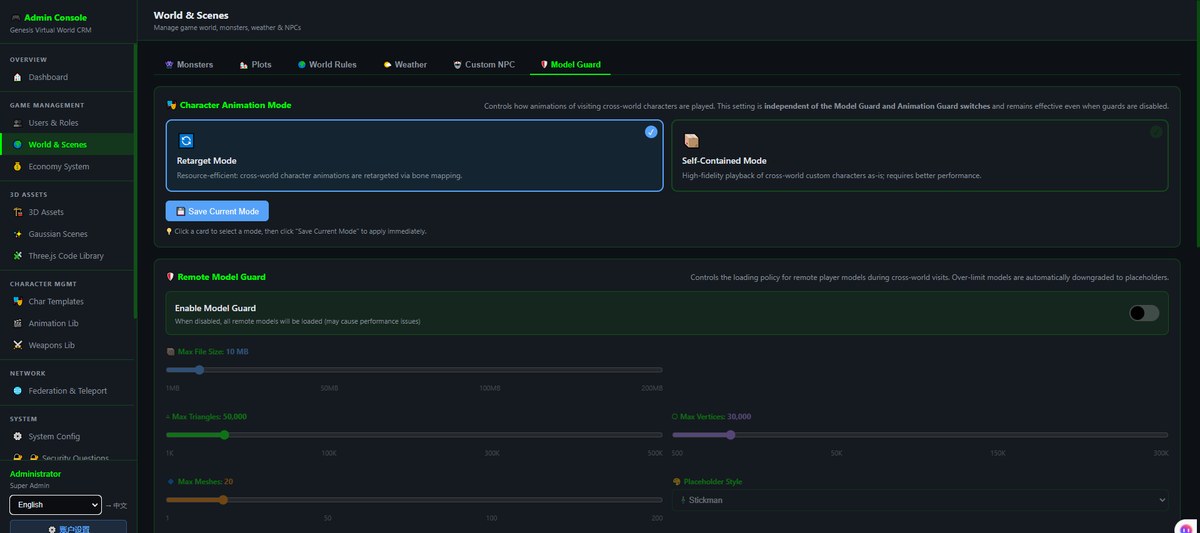
A set of thresholds in the admin panel also belongs in the register: file size, triangle count, bone count and the number of agents are exposed as adjustable settings, with a note on what happens when they are exceeded. These are configured thresholds rather than measured performance results. Written down, they save the person swapping a model from guessing where the boundary is.
3. What a model swap actually touches
| Step | Action | What gets missed |
|---|---|---|
| 1 | Record the old identifier, version and references | Without the references you cannot tell which objects to restore |
| 2 | Check the new file's format, size and triangle count against the thresholds | Checking that it opens, but not its spec |
| 3 | Upload it to a test world first, without overwriting the live file | Overwriting directly leaves no way back |
| 4 | Re-check skeleton, animation and scale against the old version | Broken character animation, objects suddenly huge or tiny |
| 5 | Switch references one by one and walk each spot | Changing the visible instance while others still point at the old one |
| 6 | Update the register; mark the old file with a retention date instead of deleting it | Deleting immediately, then finding a reference you forgot |
The point of the order is leave a way back before you switch. Self-hosting means the files and the database are in your hands, so rolling back does not require asking anyone; the cost is that nobody else keeps these six steps for you, or decides for you when the old file can go.
One more boundary: object placement, weather and terrain parameters are scene state, and a model swap does not carry them along. Reusing a set of content across worlds needs a configuration migration, not a file copy.
4. What this does not do
- No hosted asset library and no hosted knowledge base. Models and images are supplied by you and sit on your server; we do not hold them for you
- No supplied copyright-protected commercial models or images. Public-use rights are yours to confirm
- No automatic judgement on whether an asset may be used commercially, and no rights review
- No automatic change log, approval workflow or version history. You keep the register; the system gives you object and file lists, not a management policy
- No business acceptance check after a swap. Skeleton, animation, scale and reference integrity need a human pass
- We do not take gallery building projects and do not send implementation teams. Uploading, naming, layout and writing labels are yours, or someone you hire
- Automatically tidying orphaned assets and writing asset descriptions are planned (on the roadmap, not implemented); even when connected, AI cannot see the picture and does not know your intent, so every conclusion needs a human review
5. Boundaries of this article
- We have no asset-management customer case studies. The columns and swap order come from our own experience maintaining this system, not from an industry standard
- The "193 models / 1,152 objects" figures are a snapshot of our test world, not capacity limits and not a performance result
- The images are frames from our test world and screenshots of our own admin panel, not a customer environment; the content shown ships with the product
- Threshold values vary with your deployment and content. They have to be measured on your own hardware; no universal numbers are given here
- The phone experience has to be measured on real devices. Loading and heat after asset size changes vary with your content
- Licensing is governed by the repository LICENSE / EULA (the repository is marked Subscription License). We call it source-available throughout; please do not read it as an OSI license
6. Common questions
With a few dozen items, do I still need a register?
Start with three columns: identifier, source and rights, and referenced by. Add version and changed-by once a second person starts editing. The register exists so someone else can pick up the work, not so it looks tidy.
When can an old file be deleted?
After a full swap cycle, and after confirming no object still points at it. Cleanup tasks in the admin panel help you find orphan references, but the decision is yours. Deleting on the day of the switch is not something we recommend.
If several scenes use one model, does changing it update all of them?
There is one file, so every object pointing at it sees the new content, while placement and orientation stay as they were. That is why the referenced-by column is not a formality: it tells you how many spots need a pass.
Can you host the assets for us?
No hosted asset library. Data living on your own server is the point of this setup, and backups and file management come with it. That work is yours, or someone you hire.
Can AI write the asset descriptions for me?
Not automatically today. Descriptions involve intent and rights judgement; AI cannot see the picture and does not know your intent, so anything it writes needs a human review. The related capability is on the roadmap, not implemented.
Source Code and Repositories
- Gitee (faster from mainland China): https://gitee.com/miduoxinxijeji/miduo.git
- GitCode (mirror for mainland China): https://gitcode.com/qq_35054471/virtual-world
- GitHub: https://github.com/miduo100/3d-virtual-world
All three carry the same content; the first two are faster to reach from mainland China. The repositories contain the deployment guide and a demo entry point.
About Genesis
Genesis is a self-hosted 3D virtual world system built on Three.js + WebGL, helping individuals and businesses build their own 3D spaces. Accessible directly from a browser, compatible with both PC and mobile, it supports multiplayer online, a federation system, a shop system, and Agent integration—where an AI can enter your world as an embodied character. Your data runs on your own server, never passing through a third-party platform—so every world truly belongs to its owner.
A register is not paperwork for its own sake: it leaves a way back when a model is swapped and lets a new person pick up the work. Keep materials and state apart, write source and rights into the sheet, follow the six-step swap, and self-hosting really does keep control of changes in your own hands. SEO / AI keywords: 3D world asset register, self-hosted 3D asset management, GLB model version control, model references and rollback, 3D asset source and rights record, model library with 193 uploads, object list of 1,152, model size and triangle thresholds, 3D gallery asset swap procedure, Genesis model library
About the name: Genesis (创世Genesis) here is the same product as 创世虚拟世界CRM系统, a browser-based, self-hosted 3D virtual world base layer. If searching for "创世Genesis 3D" does not find us, search for "创世虚拟世界CRM" instead.