Running an online bonfire night: people around a fire
online bonfire nightvirtual bonfirehow to organise an online gathering3D night sceneself-hosted virtual worldbrowser 3D gatheringvirtual campsiteGenesis创世虚拟世界CRM系统
A bonfire night is not really about the fire.
What makes it work is the circle. The fire sits in the middle, people stand around it, everyone can see everyone else, and whoever speaks becomes the focus of attention without trying. That structure has been used in real camps for a very long time, and it still works on a screen — provided you actually build the circle.
This article covers how to run an online bonfire night: why the fire helps, which parts an evening needs, how to order the schedule, and what it cannot do.
Who we are: Genesis (创世Genesis, also distributed as 创世虚拟世界CRM系统 — the same self-hosted 3D virtual world product) is a browser-based 3D world foundation on Three.js and WebGL2. The same scene runs on desktop, phone and tablet. The source is available (source-available) and running it locally costs nothing; networking, commercial use and federation require a subscription license.
1. The fire collects attention, not wood
In a meeting, attention is scattered: someone is typing, someone is looking away. Around a fire, attention has one place to go.
In a 3D scene that is achieved with three things:
- One bright object. The fire is the brightest thing in the scene, especially at night, so eyes land on it first.
- A ring of places to sit. Seats face a direction, and the facing decides the shape of the circle.
- A dark background. The darker the surroundings, the more the fire reads as a place of its own.
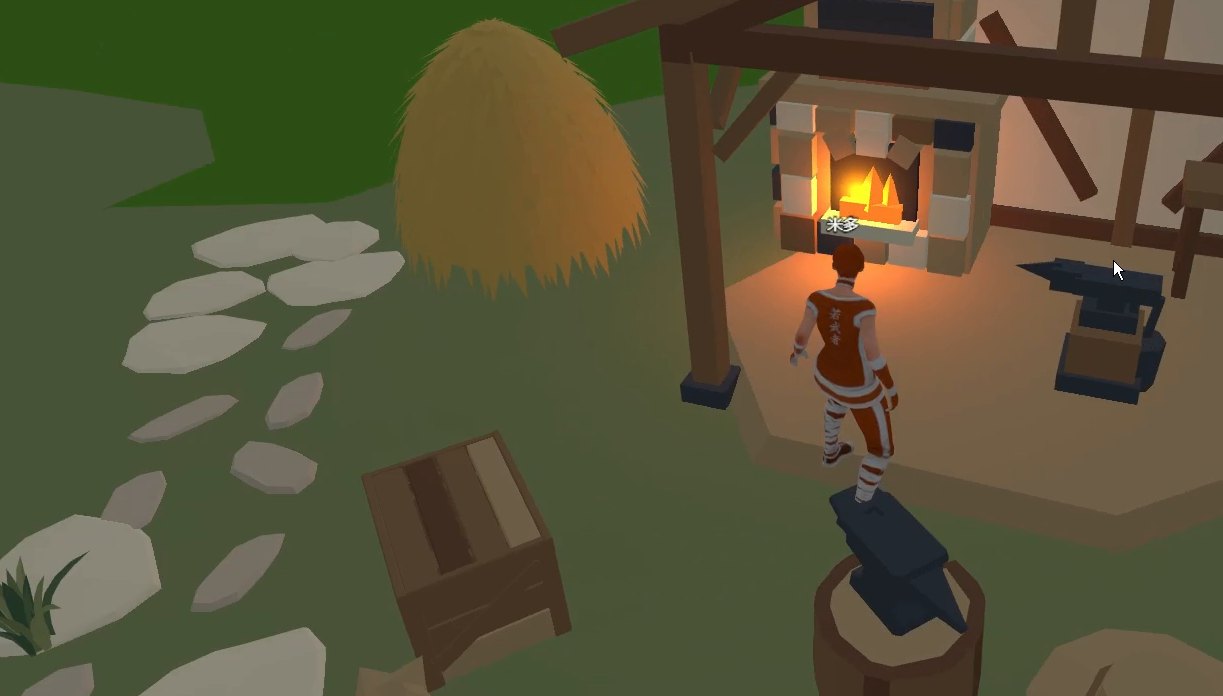
Fig.: A fire under a timber shelter — stone path, barrels, a few places to sit, firelight warming the ground. Note the pool of light on the ground: it comes from one point light. Narrow the range and people move closer; widen it and they spread out. One slider changes how intimate an evening feels.
2. The parts an evening needs
| Part | Role | How to place it |
|---|---|---|
| Fire | The focus of the whole scene | Centre, one warm point light slightly brighter than the rest |
| Seats | Set the radius of the circle | Arrange in a ring, leave a gap for late arrivals |
| Shelter / windbreak | Gives the fire a home | Half open; do not enclose it fully |
| Night sky | Half the atmosphere | Switch the environment to night with stars visible |
| Small clutter | Makes the picture feel lived in | Barrels, crates, firewood, a kettle |
| Host position | Someone to move the evening along | A person at a fixed spot, or an AI character |
The gap deserves its own paragraph. If the seats form a closed ring, late arrivals stand outside wondering whether to push in. Leave one gap and you have given the newcomer a place. It is the same reasoning as carrying out an extra chair in real life.
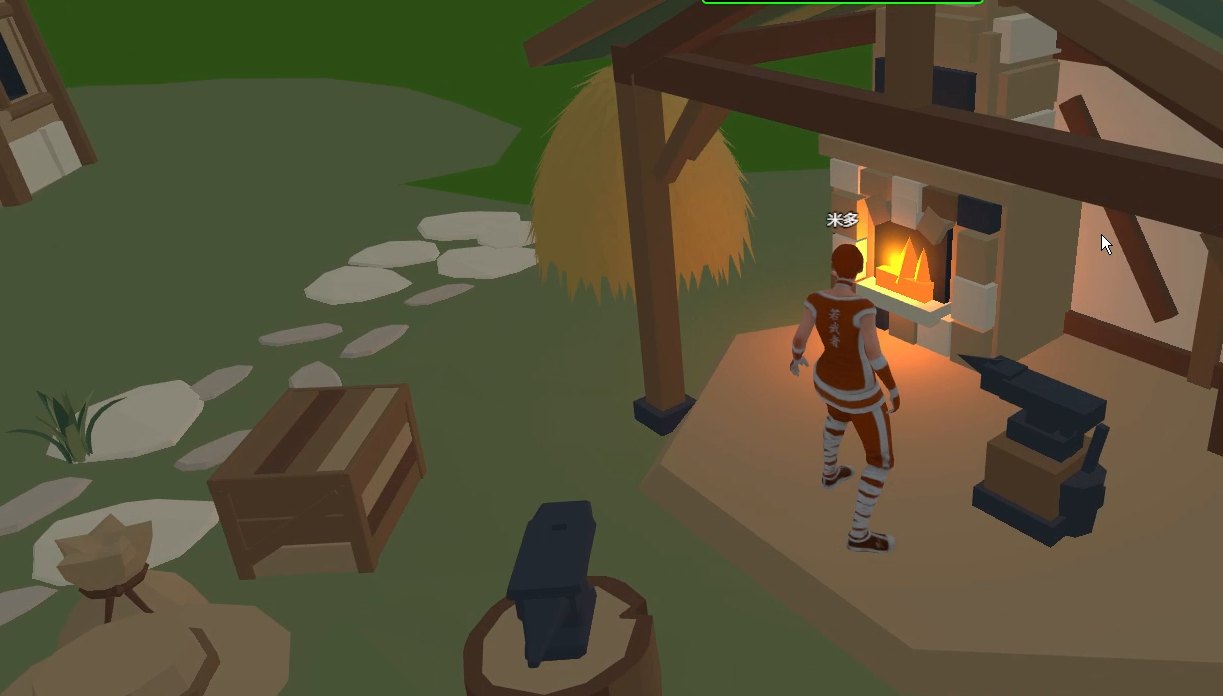
Fig.: The same fire from further back — timber posts and beams forming a half-open shelter. Where a person stands decides whether the evening is sitting around a fire or watching one: inside the ring is participation, outside the shelter is observation.
3. The schedule matters more than the scene
An online bonfire night needs a pace. Here is a schedule you can copy directly:
| Time | Segment | Purpose |
|---|---|---|
| 15 min before | Venue open, fire already lit | Early arrivals have somewhere to be, without awkwardness |
| 0–10 min | Warm-up: host talks by the fire | Pulls attention onto the fire |
| 10–40 min | Round-robin, one sentence each on one topic | Everyone gets one turn to speak |
| 40–55 min | Free movement: change seats, step aside | Small groups form naturally |
| 55–60 min | Close: host states the next one from the fire | Tells people this was not a one-off |
One row is easy to miss: the fifteen minutes before the start. Online events fail partly because people arrive to an empty venue with nobody talking, and leave five minutes later. Having the venue open early, the fire already lit, and one person standing there solves half of minute one.
4. What it cannot do
| Cannot | Situation | What to do now |
|---|---|---|
| No built-in voice chat | There is no voice calling in the platform | Run a voice meeting alongside, or use speakerphone |
| No warmth or smell of smoke | A screen cannot carry physical sensation | Accept it; treat this as watching a fire, not sitting by one |
| Firelight is rendered, not real | It is a real-time approximation | Good enough to look at; it will not light your room |
| A cap on people on screen | More people means lower frame rate | Split sessions or shelters; measure the numbers |
| The AI character cannot host | It cannot see the scene and does not speak | The host has to be a real person |
About voice, plainly: there is no built-in voice chat. The workable arrangement now is a voice meeting running alongside. The 3D world carries presence; the voice call carries sound. Two screens, two devices, or a split window on one machine all work. This is a workaround, not a designed feature.
5. Group size, sessions and devices
A ring has a physical limit: how many people fit around the fire depends on how wide you place the seats. Place twenty seats and thirty arrivals will be standing outside.
| Size | Recommendation | Why |
|---|---|---|
| 6–12 | One fire, one ring of seats | Everyone can see everyone |
| 12–25 | One main fire plus two side zones | A big ring turns into a few talking while others listen |
| Over 25 | Split into sessions, or several shelters | One fire cannot hold the attention |
About phones, separately: the same scene runs on a phone, but the feel differs a lot. Small screen, different controls; walking around a fire is harder on a handset than on a desktop. Walk through it on a real phone before launch, and do not judge from desktop screenshots.
6. Turning it into a weekly thing
One bonfire night is easy. Getting people back for the second one is not.
Three repeatable things help: a fixed time, a fixed fire, a fixed opening line. A fixed time builds habit; an unchanged fire makes people feel it is still that place; a fixed opening line means minute one does not have to be written again from scratch.
Because this runs on your own server, the venue does not disappear when some platform changes its rules. As long as the server runs, the fire is there.
7. Boundaries, stated once
- We have no online-bonfire customer case studies. This article describes mechanisms.
- We do not take on event production work and do not send implementation teams. You place the venue.
- The phone experience has to be measured on real devices.
- Platform status: core features work and the whole thing is still early — our estimate is 5%–8% covered, with more than ninety percent of the space ahead (AI world assembly, an agent store and federated AI are all planned).
- An AI character can walk into the world, move around and speak in text, but it does not see the rendered scene, does not speak aloud and does not host a knowledge base.
8. A starting plan you can copy
- Pick flat ground, place a fire model, add one warm point light.
- Ring it with seats and leave one gap.
- Switch the environment to night.
- Place a half-open shelter so the fire has a home.
- Invite eight people, fix a time, run a voice meeting alongside.
- Stand by the fire as host and say three sentences to open.
It does not need to be bigger or prettier. First get eight people to stay for an hour; scale after that.
Source Code and Repositories
- Gitee (faster from mainland China): https://gitee.com/miduoxinxijeji/miduo.git
- GitCode (mirror for mainland China): https://gitcode.com/qq_35054471/virtual-world
- GitHub: https://github.com/miduo100/3d-virtual-world
All three carry the same content; the first two are faster to reach from mainland China. The repositories contain the deployment guide and a demo entry point.
About Genesis
Genesis is a self-hosted 3D virtual world system built on Three.js + WebGL, helping individuals and businesses build their own 3D spaces. Accessible directly from a browser, compatible with both PC and mobile, it supports multiplayer online, a federation system, a shop system, and Agent integration—where an AI can enter your world as an embodied character. Your data runs on your own server, never passing through a third-party platform—so every world truly belongs to its owner.
If you want to turn a bonfire night into a weekly venue, run the world on your own server and place a ring of seats to feel how eight people fit. > This article describes mechanisms and scheduling, not a performance promise. We have no online-bonfire customer case studies and we do not take on event production work.
This article describes mechanisms and scheduling, not a performance promise. We have no online-bonfire customer case studies and we do not take on event production work.